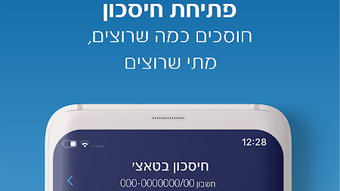

Download לאומי APK – Finance, Banking, Secure, Mobile Banking, Android App, Financial Management
Overview
לאומי is a free Android application developed by Bank Leumi, designed to provide users with secure access to their banking services directly from their mobile devices. The app falls within the finance category and serves individuals seeking a convenient, reliable way to manage their personal finances. It enables users to check account balances, monitor transaction history, and perform a variety of financial operations, including transfers and payments, all within a secure digital environment. The software is tailored for consumers who prioritize financial accessibility and real-time control over their banking activities.
Target users include individuals who maintain accounts with Bank Leumi and wish to streamline their financial management through a mobile platform. The app supports multiple bank accounts, allowing users to manage several accounts from a single interface. It is available in both Hebrew and English, making it accessible to a broader audience within Israel and among English-speaking users. The app was released on July 31, 2023, and is compatible with Android 13.0 and above, ensuring it meets modern operating system standards.
Real-world usage scenarios include daily balance checks, fund transfers between accounts, bill payments, and monitoring transaction activity for fraud detection. The app’s secure architecture is designed to protect sensitive financial data, though specific security protocols were not detailed in the provided information. As a product of a major financial institution, its reliability and integration with Bank Leumi’s core banking systems are expected to be robust.
Key Features & Capabilities
- Account Management: Users can view and manage multiple bank accounts from a single interface, enabling consolidated financial oversight.
- Balance and Transaction Tracking: Real-time access to account balances and detailed transaction histories allows for accurate financial monitoring.
- Secure Transactions: The app supports secure fund transfers and payments, with authentication mechanisms to prevent unauthorized access.
- Multi-Language Support: Available in both Hebrew and English, enhancing accessibility for diverse user groups.
- Mobile Banking Integration: Full integration with Bank Leumi’s banking infrastructure ensures up-to-date financial data and reliable service performance.
These features empower users to conduct essential banking tasks without visiting a physical branch. For example, a user can quickly transfer money between savings and checking accounts, review recent purchases to detect suspicious activity, or pay a utility bill directly from the app. The ability to manage multiple accounts simplifies budgeting and financial planning for users with complex account structures. The secure transaction system is designed to protect sensitive data during online operations, though specific encryption standards were not specified.
User Interface, Workflow & Performance
The user interface of לאומי is designed for intuitive navigation, with a clean layout that prioritizes accessibility and ease of use. Core functions such as balance checks, transaction history, and fund transfers are typically accessible from the main dashboard, minimizing the number of steps required to complete common tasks. Navigation is likely structured through a bottom or side menu, a common pattern in mobile banking apps, allowing users to switch between sections with minimal effort.
Workflow efficiency is enhanced by the app’s streamlined design, enabling users to perform routine financial operations in a few taps. The interface appears optimized for touch-based interaction, with responsive buttons and clearly labeled sections. However, specific performance metrics such as load times, CPU usage, or RAM consumption were not provided. The developer did not specify resource usage details, so general assumptions about efficiency are based on typical mobile banking application behavior.
Stability is expected to be high, given that the app is developed by a major financial institution and released on official channels like the Google Play Store. The app is designed to operate reliably across Android 13.0 and above, suggesting compatibility with modern devices. No reports of crashes or malfunctions were mentioned in the input data.
Compatibility & System Requirements
לאומי is designed for Android 13.0 and above, ensuring it runs on current and recent Android devices. The app has a file size of 124.3 MB, which is typical for a feature-rich mobile banking application. This size reflects the inclusion of multimedia assets, security protocols, and backend integration components.
Exact system requirements were not listed, so information about minimum RAM, processor speed, or storage space is unavailable. The developer did not provide additional system requirements. As such, users are advised to ensure their device meets standard Android 13.0+ specifications for optimal performance. The app is available for download via the Google Play Store and the official Bank Leumi website, offering multiple access points for installation.
Pros and Cons
Pros
- Free to download and use, with no hidden costs.
- Developed by Bank Leumi, ensuring reliability and integration with official banking systems.
- Supports multiple bank accounts for centralized management.
- Available in both Hebrew and English, increasing accessibility.
- Secure platform with authentication for financial operations.
Cons
- Only available for Android devices, limiting cross-platform access.
- Compatibility restricted to Android 13.0 and above, excluding older devices.
- Specific security protocols and data encryption methods were not disclosed.
- Performance and resource usage details were not provided.
- Not available on iOS or other mobile operating systems.
FAQ Section
Is לאומי available for iOS devices?
Currently, the app is only available for Android devices. There is no official version for iOS as of the latest release.
Can I use the app offline?
The app requires an active internet connection for most functions, including balance updates and transaction processing. Offline access to cached data may be limited.
Is the app secure?
Yes, the app is designed with security in mind and supports secure transactions. It is developed by Bank Leumi, a trusted financial institution, and is available through official app stores.
How often does the app receive updates?
Updates are released periodically by Bank Leumi to improve functionality, fix bugs, and enhance security. The latest version available is 48.1.0.
What is the license type for the app?
The app is free to download and use. It is distributed under a proprietary license, with all rights reserved by Bank Leumi.
Final Thoughts + CTA
לאומי stands out as a reliable, secure, and user-friendly mobile banking solution for Bank Leumi customers in Israel and beyond. Its ability to manage multiple accounts, provide real-time financial insights, and support secure transactions makes it a valuable tool for modern financial management. While its availability is limited to Android devices and requires a recent OS version, its core functionality is well-aligned with user needs.
For individuals seeking a straightforward, free, and dependable way to access their bank accounts on the go, לאומי offers a strong combination of features and trust. Its integration with a major financial institution adds credibility, and the dual-language support enhances usability across different user groups.
Download לאומי now and take full control of your finances with a secure, efficient, and reliable banking companion.





.png)

